Portal, released by Valve in 2007, is a critically acclaimed puzzle game that’s a must-play for any puzzle game enthusiast.
Core Mechanics
Portal is a first-person puzzle game where the player must navigate through a series of puzzles using a portal gun. The portal gun can create two linked portals, an orange one and a blue one - when you enter one, you exit through the other. Two key mechanics make this particularly interesting:
- Visual Recursion - You can see through portals and into the other side. What makes this mind-bending is that you can see through portals recursively:
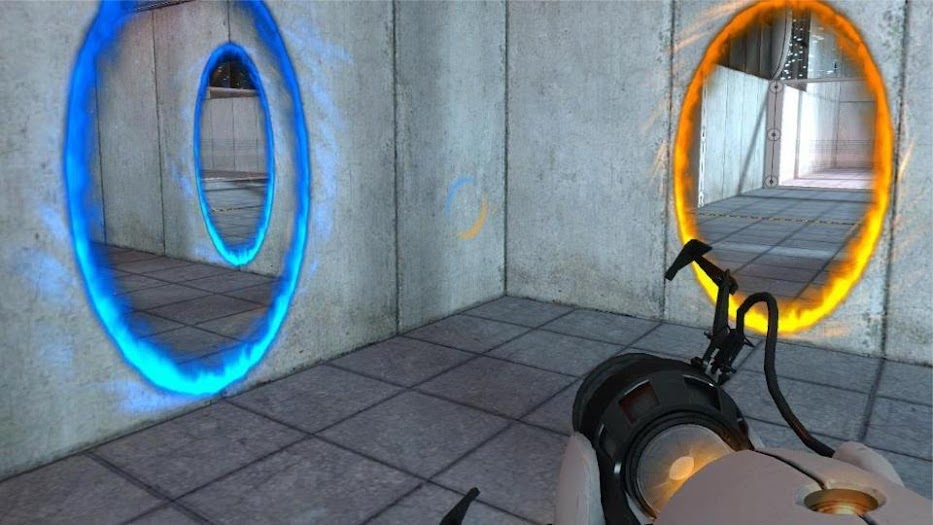
- Momentum Conservation - Objects maintain their velocity when passing through portals. This enables fascinating mechanics like the infinite fall:
Implementation Approaches
This is an exercise I like to do when I’m learning about a new algorithm. I try to reason about how I would implement it, and it really helps me understand the algorithm. Let’s explore how we might implement such a system. For clarity, let’s call the entrance portal “A” and the exit portal “B”.
Approach 1: World Duplication
This idea was an initial knee jerk naive approach. One way that is probably overkill is to render the entire world twice - once on your side of portal A and another world for where portal B is. This is pretty lazy, but simple to code -
1. Duplicate all assets in the world while maintaining positions of portal A and B
2. Overlap portal A and portal B to connect the two worlds
Problem: Extremely inefficient - you’re rendering the entire world twice and many assets are duplicated for no perspective benefit.
Approach 2: Camera Centered at Other Portal
Another way that seems way better on hindsight is to set a camera centered at the other portal.
1. Set a camera centered at the other portal
2. Limit rendering the scene coming from the other camera to the portal area
Problem: This is much more efficient without duplicating assets than Approach 1, but now you have the issue of adjusting the camera view through the other portal. If you don’t adjust the angle of the camera, it would just be one still picture which doesn’t look right.
Approach for Portal Physics
For either of the above, how do we conserve momentum when going through the portal? I think it’s as simple as measuring the speed and angle in and duplicating the speed and angle out. The actual extra physics calculations (like gravity) can be done as soon as you are fully out of the portal without affecting trajectory much.
1. Measure the speed and angle of entry at portal A
2. Apply same speed and angle when exiting portal B
3. Resume normal physics calculations after exit
The Solution: Stencil Buffer Rendering
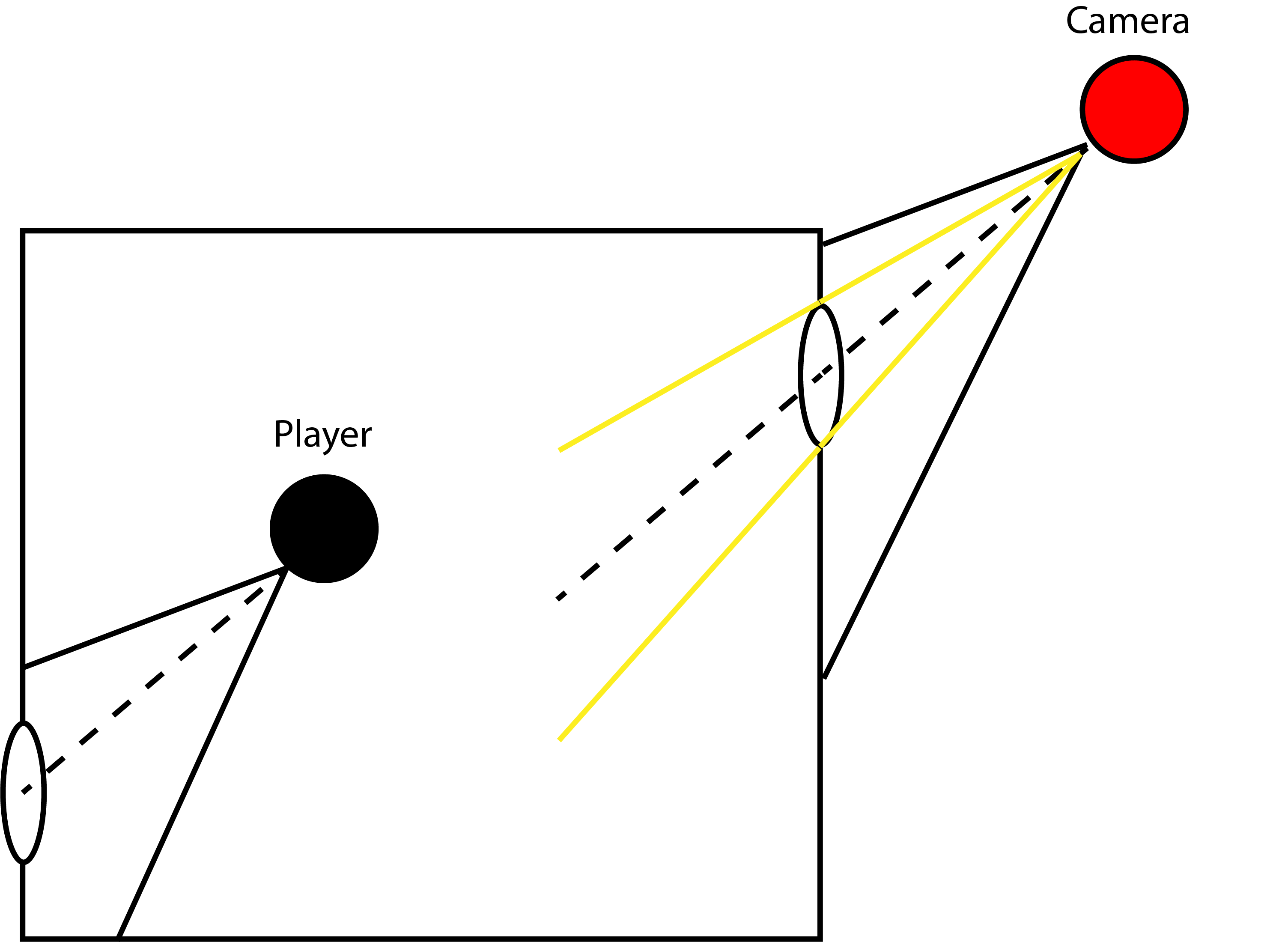
So how do you render something like this graphically? The method they use is something called “stencil buffer portal rendering”. It is very similar to Approach 2, but adds a few steps to the rendering process. It is a concept very similar to looking through a mirror.
1. Start with portal A and portal B.
2. When looking at a portal, calculate the angle at which your view intersects the portal plane of portal A.
3. Set the camera at the same distance and angle from portal B as from portal A. In the below diagram, you can see the red camera reflecting the same distance as the player.
4. Limit rendering to portal B's visible area using stencil buffer.
An elegant and mathematically simple solution.
Modern Implementation
We’ve been talking about the game Portal, but what about the newest rendition of portals in Marvel Rivals? Here’s a quick look at the portal shenanigans in Marvel Rivals.
For a deeper dive into Marvel Rivals’ portal mechanics, check out my post on the topic.